

How to: Authentication and Access API
Goal
Being able to authenticate against the Marketplace API.
1. Registration (Retrieve Personal Access Token)
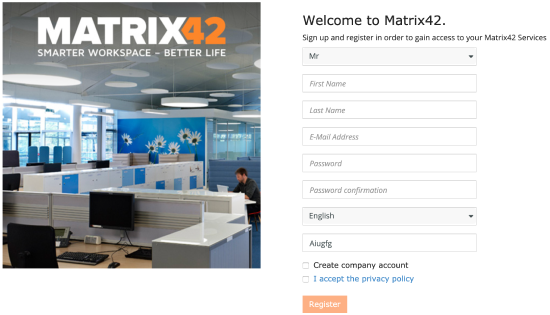
To use the Marketplace API, it is necessary to sign up for a Matrix42 Company Account. The registration can be conducted at https://accounts.matrix42.com/my/register.
Please note that if a company is already registered as a Partner, it is unnecessary to check the box at Create Company Account. However, if a company is not yet registered at the time of sign-up, the box needs to be checked and additional fields filled in.
.
Once done, the Matrix42 Marketplace Team will validate the provided registration information to verify the account and authorize for the usage of the Marketplace API. Through the registration a unique Customer Number is assigned to the Partner.
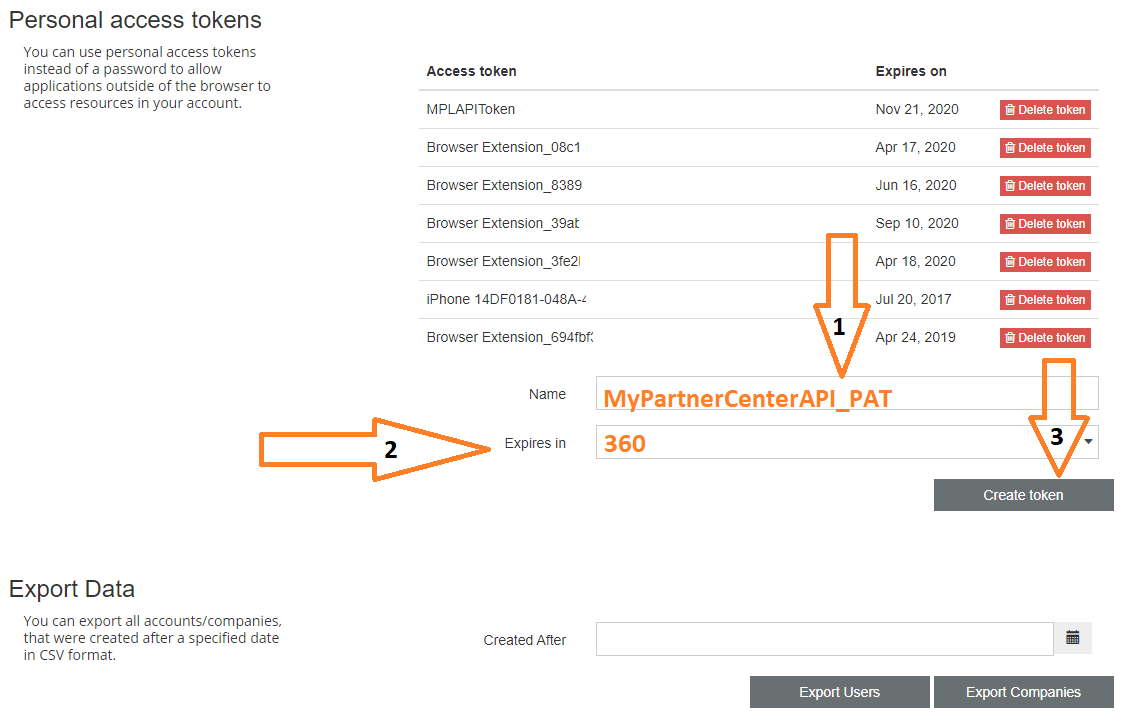
After the registration, a Partner can create personal access tokens (PAT) at https://accounts.matrix42.com/my/account . These are used in the authentication mechanism for the API (see below).
For the technical setup for the API functionalities a Partner needs to provide a set of master data to Matrix42 that contains a full billing address and a valid billing email-address. The data is necessary to create valid Orders in the system.
2. Retrieve Bearer Token
The authentication and access control of all API requests is based on a bearer token submitted in the header of the respective request. Make sure you have all the necessary access rights. Different endpoints can have different access rights.
The mechanism involves two steps. One is to obtain a personal access token (PAT) from https://accounts.matrix42.com/my/account (see above), the other is to obtain an access token via code from the exchange URL and use it in the authorization header of the request that is sent to the Marketplace API.
C# sample Code using PAT token to obtain token:
var httpWebRequest = (HttpWebRequest)WebRequest.Create("https://accounts.matrix42.com/api/session/tokens/exchange");
httpWebRequest.Method = "GET";
httpWebRequest.PreAuthenticate = true;
httpWebRequest.Accept = "application/json";
httpWebRequest.Headers.Add("Authorization", "Bearer " + pat_token);
The request has no payload body.
The result is a JSON with a single field containing the final token.
{
  "RawToken": "eyJ0eXAiO..."
}
The resulting Token can be used in all further requests as a Bearer Token in the Authorization Header.
Unsuccessful call
{
    "Message": "Authorization has been denied for this request."
}